OFFICE APPLICATIONS
The description
'Office Applications' is a general term that represents the
sort of software we use in the workplace, like word
processors, spreadsheets and databases; sometimes referred to
as 'Office productivity software'. Commonly it represents a
group of essential programs that many people utilise
everyday.
For more information see my FAQs on Microsoft Office applications
INFORMATION
Office 2010 Home & Student
permits installation on up to 3 PCs, within same
household
If you just want Microsoft Word compatibility then why not try the FREE
OpenOffice application
Click Here for a list of system requirements for office 2010
WARNING: PKC Versions of Office 2010 do not include installation media
|
|
 |
Microsoft Service Packs
|
|
|
|
|
Microsoft Compatibility Pack
|
|
|
|
|
Microsoft Service Pack 1
|
|
|
|
|
Microsoft
This software's license permits installation on up to 3 separate PCs, within the same household. Includes: Click HERE for the official Microsoft 'Product Key Only' Download site.
For more information
| FAQ
|
Training
|
|
|
|
|
Microsoft
Includes: Click HERE for the official Microsoft 'Product Key Only' Download site.
For more information
| FAQ
|
Training
|
|
|
|
|
Microsoft
Includes: Click HERE for the official Microsoft 'Product Key Only' Download site. For more information
| FAQ
|
Training
|
|
|
|
|
Microsoft Word Viewer
This stand alone viewer allows you to
open documents created using Word 2000 and above. Only
compatible with Word 2007 or above, if Microsoft's 'Office
Compatibility Pack' is installed (see above). |
|
|
|
|
Microsoft Excel Viewer
This stand alone viewer allows you to open spreadsheets created using Excel 97 and above. You cannot edit spreadsheets in the viewer. |
|
|
|
|
Microsoft PowerPoint Viewer
You can view and print presentations, but you cannot edit them in the PowerPoint Viewer. |
|
|
|
|
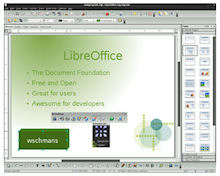
LibreOffice
|
|
|
|
|
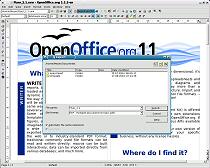
OpenOffice
Now supports Microsoft's new Office 2007
document formats. For more information | Tutorials
|
|
|
|
|
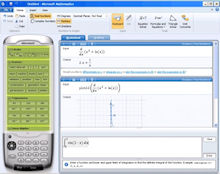
Microsoft Mathematical Tools
|
|
|
|
|
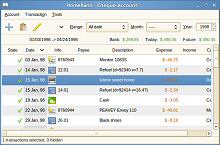
HomeBank Home Accounting
If you are looking for an easy way to manage your accounts then HomeBank should be the software of choice. Take some time to try it out, you won't regret it.
|
|
|
|
|
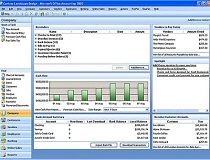
Microsoft Accounting Express 2009
Full featured accounting application provides a single place to manage your company's business finances with the familiar look and feel of Microsoft Office system programs.
|
|
|
|
|
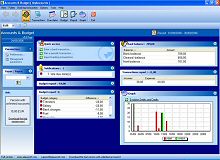
Accounts
|
|
|
|
|
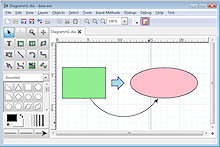
Dia Structured Diagram Editor
|
|
|
|
|
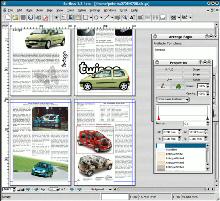
Scribus
Underneath the modern and user friendly
interface, Scribus supports professional publishing
features, such as CMYK color, separations, ICC color
management and versatile PDF creation.
|
|
|
|
|
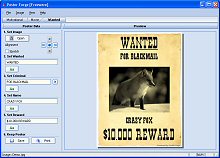
Poster
Poster Forge doesn't require any
knowledge of graphics or design and enables users to
create posters in clicks. This software has a
step-by-step wizard for each type of posters. You can
customize each detail in a template the way you like it.
|
|
|
|
|
|
|
|
|
|
|
|
|
|
|
AbiWord
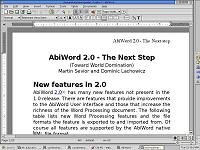
AbiWord is able to read and write most documents in Microsoft Word’s .doc format, as well as many others; its authors claim it can do most of what Word can !
|
|
|
|
|
EverNote
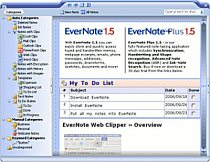
With EverNote you can easily capture, store and quickly access typed
and handwritten memos, webpage excerpts, emails, phone
messages, addresses, passwords, brainstorms, sketches,
documents and more!
|
|
|
|
|
WYO
|
|
|
|
|
Data
|
|
|
|
|
FileAmigo
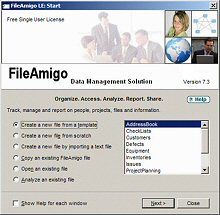
Interface directly to MS Word for mail merges and MS Excel for spreadsheets.
|
|
|
|
|
Gantt
|
|
|
|
|
Gantt
|
|
|
|
|
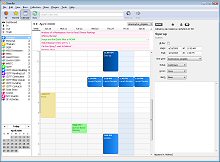
Chandler
|
|
|
|
|
UK
|
|
|
|
|
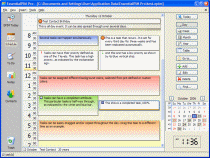
Essential
Every feature you need to organize your
life: scheduling, contact info, To Do lists and versatile
notes. All your data in one
place, interconnected so you don't have to mess around,
and just the data you need without a lot of clutter.
Essential PIM is powerfully
simple. Get information
whenever you need it. Print whatever you want and only
what you want! Save your data to HTML, RTF, CSV or TXT.
Real information management that doesn't slow you down!
|
|
|
|
|
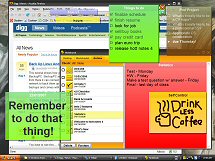
Stickies
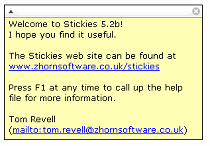
The design goal behind Stickies is that the program is small and simple. Stickies will not mess with your system files, or write to the registry. Stickies stores all information in a single text-based ini file. Stickies
will never support animated dancing figures, or play "Greensleeves".
They are instead yellow rectangular windows onto which
you can put some text notes. Once created, they will stay
on screen until you take them away. Just like a real
sticky piece of paper.
|
|
|
|
|
Hott Notes
Hott Notes have a simple, yet pleasant interface. Choose any color, font, or translucency level for your notes.You can also, create and use themes.
|
|
|
|
|
WordWeb
|
|
|
|
|
TinySpell
|
|
|
Listed prices are correct at date of publication but are subject to availability or change without notice  WARNING Click here to report a broken or incorrect link All images and trademarks remain the property of their respective owners E&OE |
|||


 Microsoft's Office service packs provide a simple and
convenient way of applying the latest updates to their
Office suites. These service packs are particularly
useful when installing or reinstalling office as they
replace the need to install dozens of smaller updates.
Microsoft's Office service packs provide a simple and
convenient way of applying the latest updates to their
Office suites. These service packs are particularly
useful when installing or reinstalling office as they
replace the need to install dozens of smaller updates.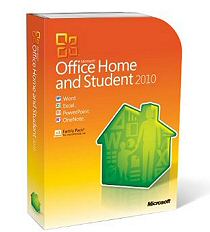

 Write-